How to Type With Long Nails: A Complete Practical Guide
Growing out your nails or getting a fresh set of extensions is one thing. Getting through a full workday of typing without every other keystroke landing on the wrong letter is a completely different challenge. Long nails genuinely change how your fingers interact with a keyboard, and pretending nothing needs to adjust usually just leads to frustration, typos, and sometimes a chipped or bent nail from awkward key contact.
This guide covers the actual technique adjustments that make typing with long nails realistic and comfortable, how keyboard choice factors in, what changes on phones and touchscreens specifically, and roughly how long it takes most people to adapt.
How to Type With Long Nails: The Basic Technique
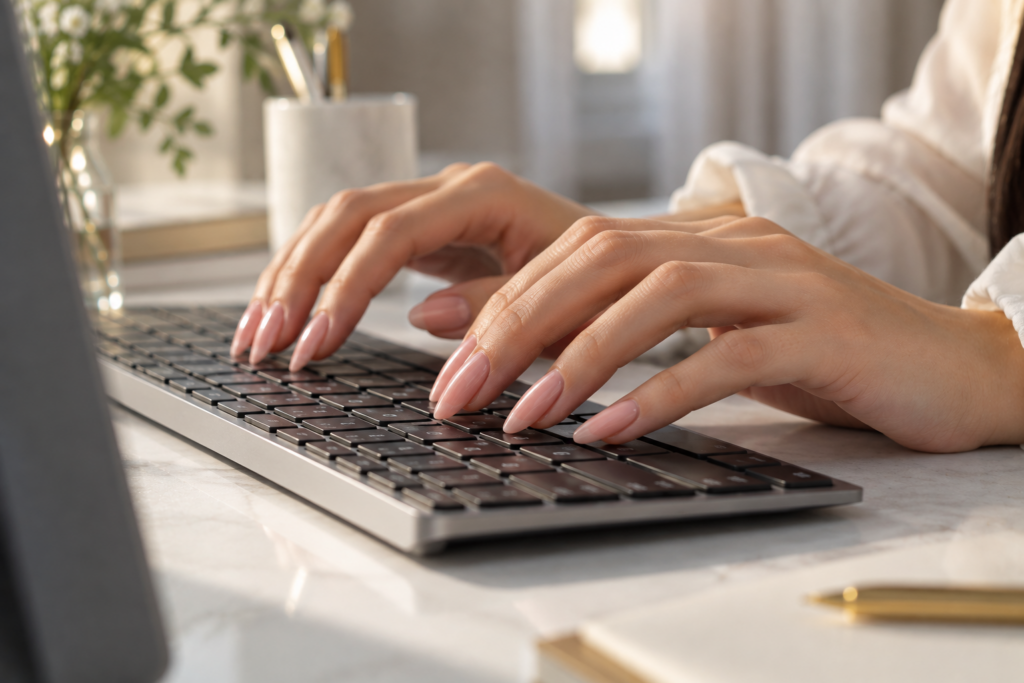
Typing comfortably with long nails mainly comes down to shifting from flat fingertip contact to a more angled, upright hand position, using the pads of your fingers rather than the flat surface, and applying a lighter touch overall. This adjustment reduces how much the nail itself makes contact with the keys, which is really the root cause of most typing frustration with longer nail lengths.
The natural instinct for most people is to keep typing exactly the way they always have and just push through the awkwardness. That approach tends to create more errors and more nail-to-key collisions than actually adjusting hand position, which genuinely solves the problem at its source rather than working around it.
Adjusting Your Hand and Finger Position
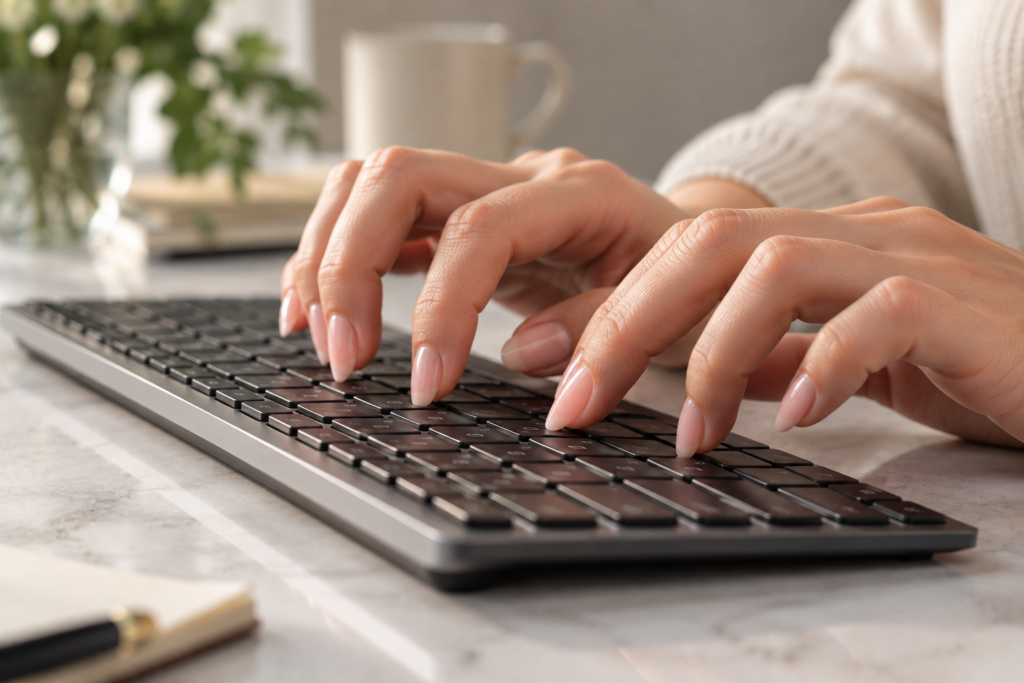
Raising your wrists slightly and angling your fingers more vertically over the keys, rather than keeping hands flat, shifts contact toward the fingertip pad instead of the nail tip. This small positional change makes a noticeably bigger difference than most people expect before actually trying it.
Curling fingers slightly more than usual, so the pad of each finger meets the key rather than the flatter underside closer to the nail, also helps reduce nail contact significantly. Many people find this feels unnatural for the first few days, since it does require more deliberate finger curl than flat, relaxed typing, but it becomes automatic fairly quickly with regular practice.
Does Nail Shape Affect How Easy It Is to Type With Long Nails?
Yes, rounder, shorter shapes like squoval or round generally make typing easier than sharply tapered shapes like stiletto or very long almond nails, since a rounder tip has less surface area to catch on individual keys. Length matters more than shape once nails pass a certain point, but among similarly long nails, a rounder profile tends to interfere with typing less than an aggressively pointed one.
Choosing a Keyboard That Works Better With Long Nails
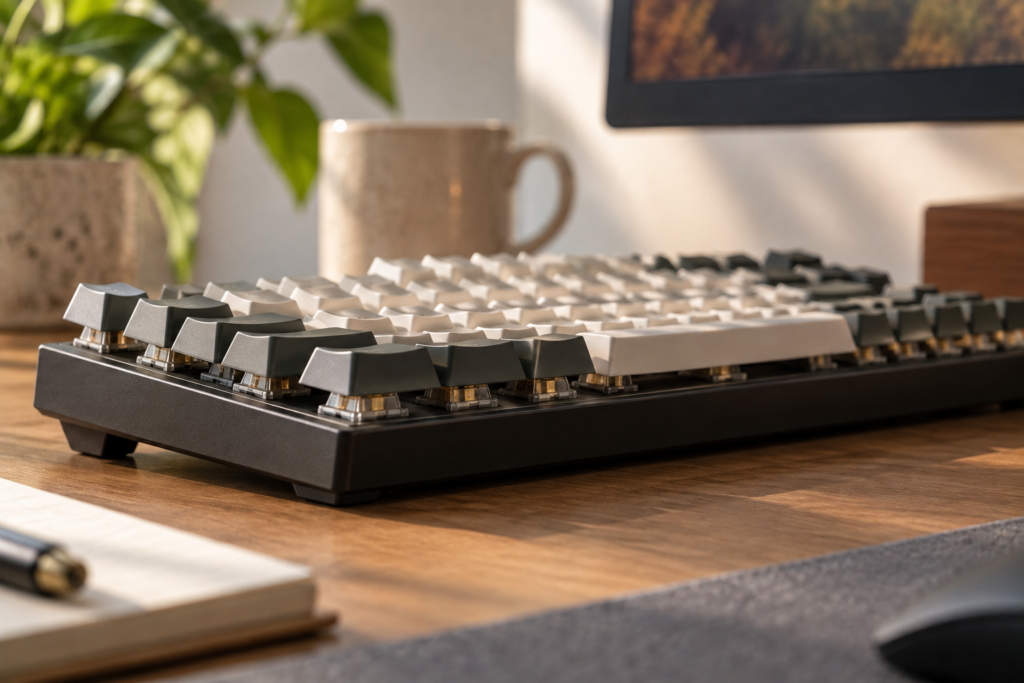
Not all keyboards are equally forgiving for long nails, and switching to a more accommodating setup can meaningfully reduce daily frustration.
Keyboards with more key travel, the distance a key moves when pressed, tend to work better than very low-profile or flat keyboards, since there’s more physical space for fingers to curl and make contact with the pad rather than the nail. Mechanical keyboards, generally known for their more pronounced key travel and tactile feedback, are often mentioned by people with long nails as easier to type on compared to slim laptop-style keyboards.
Concave or slightly curved keycaps can also help by naturally guiding fingertips into the center of each key rather than the edges, where nails are more likely to catch or slip off. Adjusting keyboard height or using a wrist rest to support a slightly raised hand position further supports the more vertical finger angle that works best with longer nails.
What Keyboard Type Is Easiest to Use With Long Nails?
Mechanical keyboards with noticeable key travel tend to work best for long nails, since the extra distance each key moves gives fingers more room to make contact with the pad rather than the nail tip. Flat, low-profile keyboards, common on many laptops, generally require more careful finger positioning to avoid nail interference, making them somewhat less forgiving for anyone adjusting to significantly longer nails.
Typing on Phones and Touchscreens With Long Nails
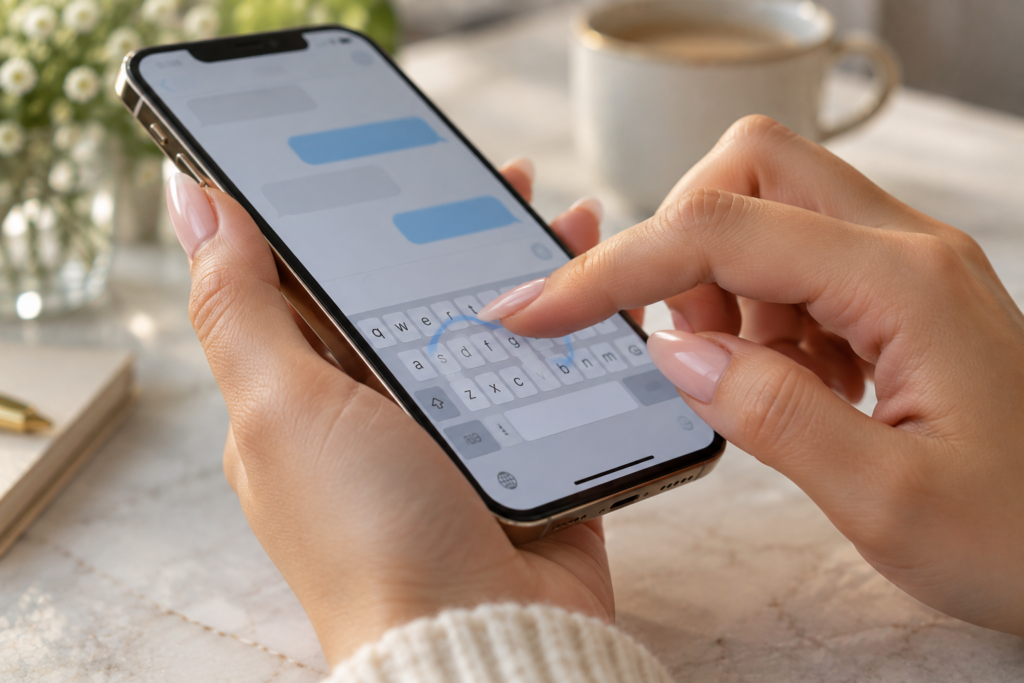
Touchscreens present a different set of challenges than physical keyboards, since there’s no key travel or curved surface to work with at all.
Using the very tip of the fingertip pad, angled slightly rather than pressing flat, generally works better than trying to tap with the finger held straight. Some people find success using the side of the fingertip rather than the very center, since this often naturally avoids nail contact with the screen. Swipe typing, where you drag your finger across letters rather than tapping each one individually, tends to work notably well for longer nails, since it relies less on precise, repeated tapping and more on a continuous gesture.
A stylus is another practical option worth considering, particularly for anyone with very long or heavily embellished nails, since it sidesteps the whole issue by removing direct finger contact from the equation entirely.
Can You Type on a Phone With Long Acrylic Nails?
Yes, typing on a phone with long acrylic nails is entirely manageable with some adjustment, generally by using the pad or side of the fingertip rather than tapping flat, angling the finger slightly, or switching to swipe typing instead of individual key taps. Many people also find voice-to-text a useful supplement for longer messages when typing accuracy with very long nails feels particularly slow or frustrating.
Adjusting to the Learning Curve

Like any new physical habit, typing comfortably with long nails takes a bit of time to feel natural, and expecting instant fluency usually just leads to unnecessary frustration.
Most people notice real improvement within the first week of consistent typing, as the adjusted hand position and lighter touch gradually become automatic rather than something you have to consciously think about with every keystroke. Practicing with patience during this initial period, rather than reverting to old habits out of frustration, tends to speed up the adjustment considerably.
How Long Does It Take to Get Used to Typing With Long Nails?
Most people adapt to typing with long nails within about one to two weeks of regular practice, as the adjusted hand angle and lighter touch gradually become second nature. The exact timeline varies based on how significant the length change is and how much daily typing someone actually does, with more frequent typists generally adjusting faster than occasional users.
Frequently Asked Questions
1. Do gel or acrylic extensions type differently than long natural nails?
Yes, acrylic and gel extensions tend to be more rigid than natural nails, which means they don’t flex the same way under pressure, so the same positional adjustments still apply, but the more rigid material can sometimes make nail-to-key contact feel more noticeable until you’ve adjusted your technique.
2. Can typing with long nails damage the nails themselves?
Yes, repeated hard contact between nails and keys, especially with a flat, unadjusted typing position, can contribute to chipping, lifting, or breakage over time, which is part of why adjusting hand position to reduce direct nail contact benefits both typing accuracy and nail longevity.
3. Is it easier to type with long nails on a desktop keyboard than a laptop keyboard?
Generally yes, since desktop keyboards often have more key travel and a taller profile than slim laptop keyboards, giving fingers more room to curl and make contact with the pad rather than the nail, though this varies by specific keyboard model.
4. Does typing speed usually decrease when nails are first grown out or extended?
Yes, most people experience a temporary dip in typing speed and accuracy right after growing out nails or getting extensions, though this typically improves significantly within one to two weeks as hand positioning adjusts and becomes more automatic.
5. Are there specific finger exercises that help adjust to typing with long nails?
Simple practice typing sessions, deliberately focusing on the adjusted, more angled hand position rather than reverting to old habits, tend to be more effective than isolated finger exercises, since building the actual muscle memory for typing itself is what ultimately makes the adjustment stick.
6. Can press-on nails be easier to type with than acrylic or gel extensions?
Press-on nails vary quite a bit in thickness and rigidity depending on the brand and style, so they aren’t inherently easier or harder to type with than acrylics or gel, though thinner, more flexible press-ons sometimes feel more forgiving than very rigid, thick acrylic extensions.
7. Does nail length matter more than nail shape for typing comfort?
Yes, length tends to be the bigger factor overall, since even a rounder shape becomes harder to type with once it extends significantly past the fingertip, though shape still plays a meaningful secondary role in how much the nail catches or interferes with individual keystrokes.
8. Can voice-to-text fully replace typing for people with very long nails?
Voice-to-text can be a helpful supplement, particularly for longer messages or when accuracy feels especially frustrating, but most people still rely on typing for shorter tasks or situations where speaking aloud isn’t practical, making it more of a complementary tool than a full replacement.
9. Do certain professions make it particularly hard to maintain long nails and type efficiently?
Yes, jobs requiring extensive, fast, precise typing, like data entry or heavy computer-based customer service roles, can make longer nails more challenging to manage comfortably, which is why some people in these roles opt for shorter lengths or more rounded shapes specifically for practicality.
10. Is it normal to make more typos when first adjusting to long nails?
Yes, an increase in typos during the initial adjustment period is completely normal and expected, since your hands are essentially relearning a slightly different physical technique, and this typically resolves within a week or two as the new hand position becomes more automatic.